Eight ready-made Home Assistant dashboards
Skip the blank-page problem. Paste a layout into the raw configuration editor, swap in your own entity ids, done. Everything is in one download, including the five custom cards the layouts use.
$9 one-time, instant download
Questions or want a refund? Email hello@strahmdigital.com.
What is inside
| File | What it is |
|---|---|
01-home-overview | Weather, activity feed, a banner for each room, temperature gauges, quick tiles |
02-living-room, 03-bedroom, 04-kitchen | Per-room views: banner, temperature and humidity gauges, tiles, room activity |
05-security-cameras | Full-screen camera wall with motion focus |
06-security-status | Doors, locks and motion feed, lock tiles, entry banner |
07-weather-energy | Three weather variants, power, solar and energy gauges |
08-mobile | Single-column layout for a phone |
00-all-views | All eight views in one dashboard |
www/ and INSTALL.md | The five custom cards (Activity Feed, Room Banner, Glance Weather, Round Sensor, Camera Wall) as ready-to-copy files, with a five-minute manual install: no HACS, no GitHub |
SETUP-GUIDE.pdf and .md | Paste a layout, replace placeholder entity ids, fix banner links |
What it looks like
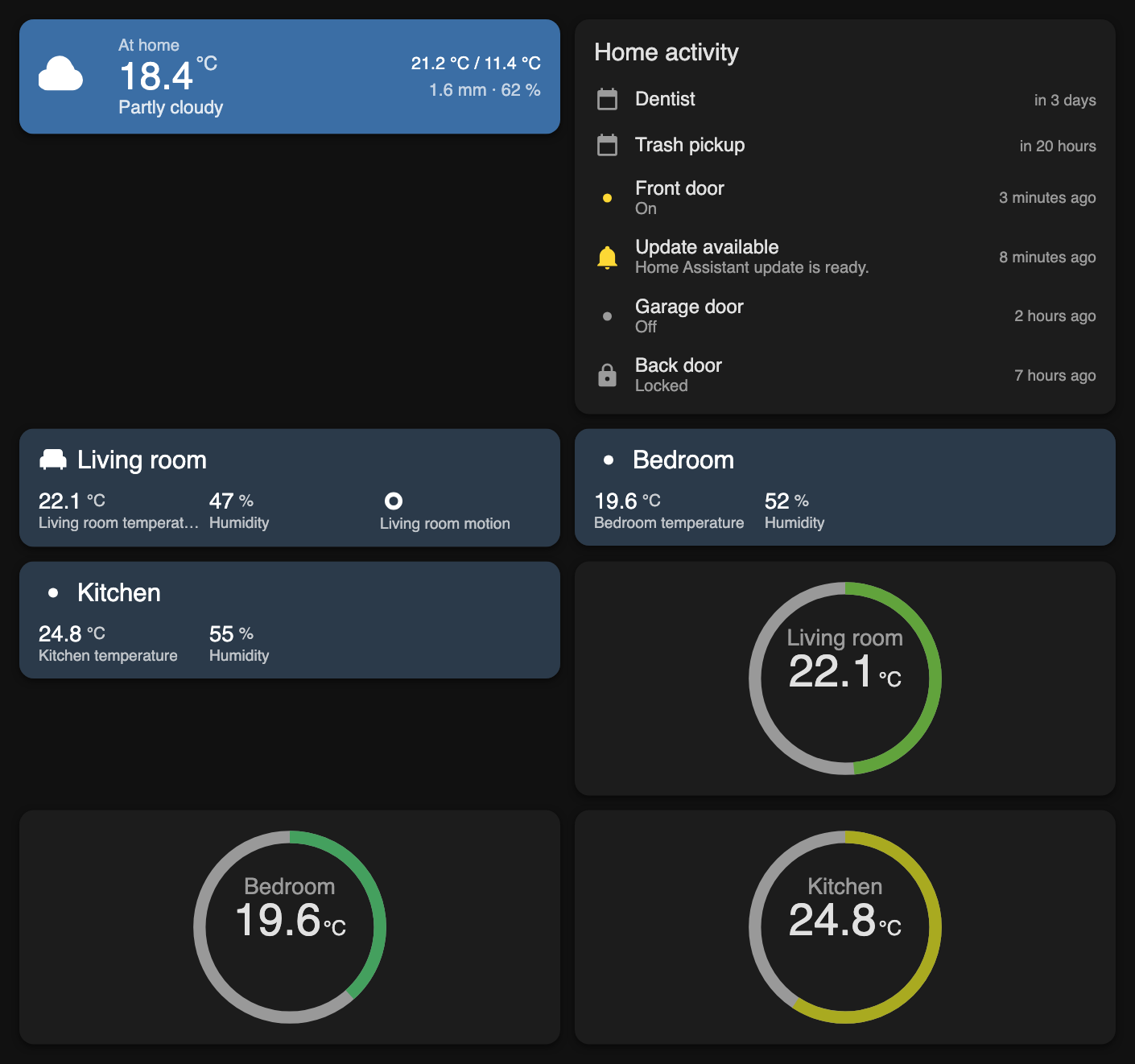
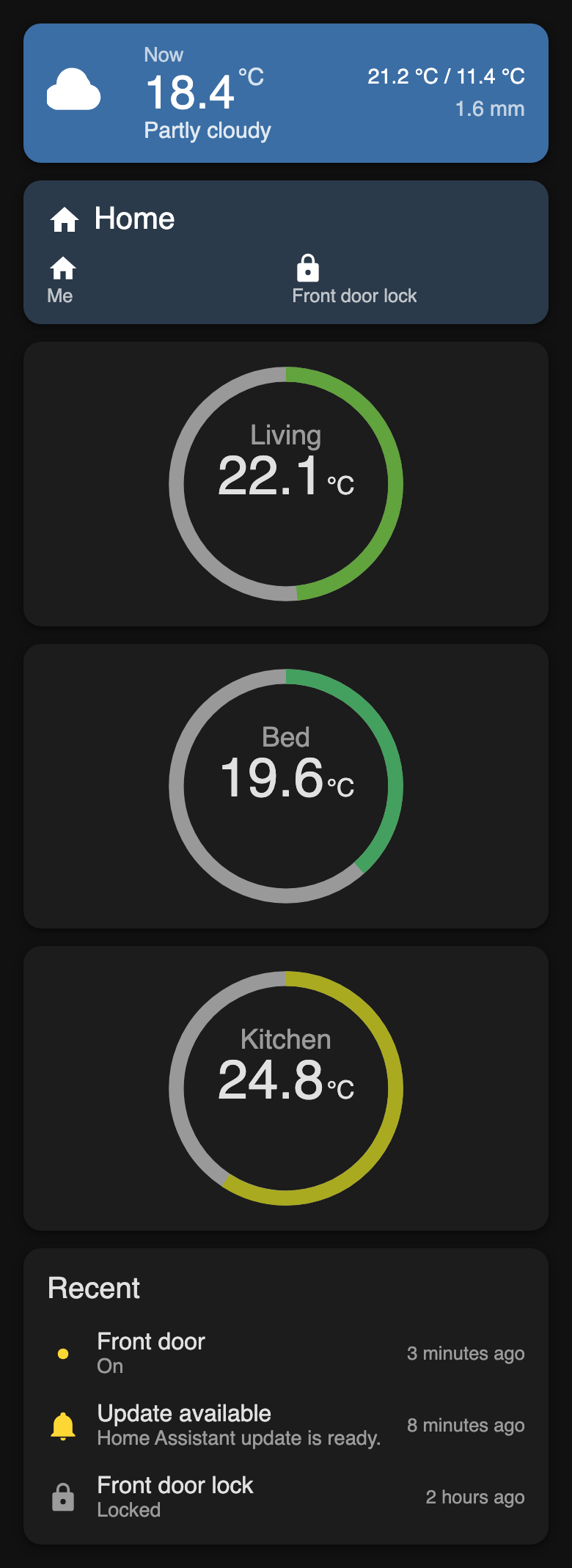
Screenshots use mock data, not a live install. Colors follow your own theme.
About the pack
- Card install is manual: copy five files to
/config/www/dashpack/and add them as dashboard resources. About five minutes. - Needs Home Assistant 2024.8 or newer (the
sectionsview type). - The layouts use placeholder entity ids such as
sensor.living_room_temperature. You replace them with yours using find and replace; the guide lists every one. - Every YAML file parses. The layouts follow the Home Assistant docs but were not tested on every version or theme.
New to Home Assistant dashboards? Read the free dashboard guides, each with a complete YAML example, or grab the free cards on their own.